
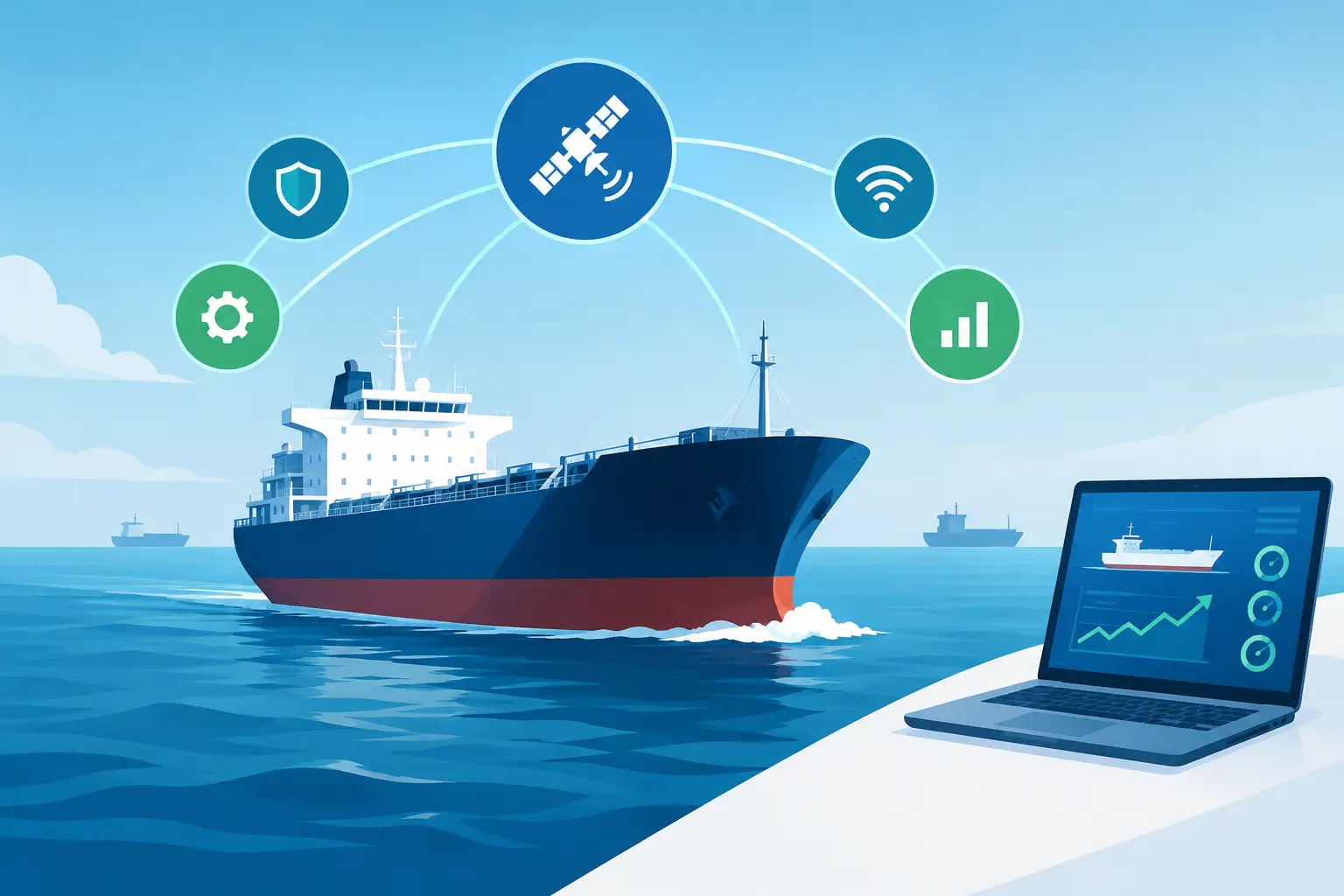
A vessel network upgrade is rarely just an IT project. It determines whether bridge personnel can view critical surveillance feeds, whether engineers can access operating data, whether crew communications hold up offshore, and whether shoreside teams receive usable evidence when an incident occurs. On a working vessel, weak coverage, aging switches, and unmanaged Wi-Fi do more than frustrate users. They create operational blind spots.
For ship managers, superintendents, and vessel owners, the right investment is not simply more bandwidth. It is a network designed around the vessel’s operating profile, security requirements, installed surveillance equipment, and maintenance realities. The strongest systems deliver reliable access where it is needed, protect essential traffic from interference, and provide a practical route for future expansion.
Start the Vessel Network Upgrade With the Mission
A network that works well on a harbor tug will not necessarily suit an offshore support vessel, tanker, crew transfer vessel, or large commercial ship. The first question is not which access point or switch to buy. It is what the network must support during normal operations and during a security event.
For many vessels, priority traffic includes IP surveillance cameras, network video recorders, bridge and machinery monitoring, crew internet access, maintenance systems, and secure remote access for authorized shoreside personnel. These functions do not carry the same risk or demand the same performance. A high-definition camera recording an access point or deck area must retain a stable connection. A crew device streaming entertainment should never be able to reduce camera recording quality or interrupt operational communications.
That separation is where a commercial-grade design earns its value. Network segmentation creates defined lanes for security, operations, administration, and crew use. This limits unnecessary traffic movement across the vessel and makes faults easier to find. It also reduces the likelihood that a compromised or poorly configured device becomes a route into critical equipment.
Before approving equipment, document the vessel’s required camera count, recording retention period, anticipated user numbers, coverage zones, satellite or shore-link limitations, and areas subject to weather exposure. This assessment prevents a common procurement mistake: buying a system that looks capable in port but falls short after new cameras, users, or connected equipment are added.
Coverage Must Follow the Vessel Layout
Steel bulkheads, machinery spaces, watertight doors, cargo areas, and multiple decks can severely reduce wireless performance. A single centrally located wireless unit may provide a signal on a test device, but that does not mean it can deliver reliable service to crew quarters, the bridge, an engine control room, or exterior work areas.
A professional survey considers physical obstructions, cable paths, power availability, environmental conditions, and the locations where staff genuinely need access. Coverage planning should also account for vessel motion, vibration, salt air, temperature swings, and washdown exposure. Consumer-grade equipment generally cannot provide the durability, mounting options, or managed control required for these conditions.
For exterior and high-risk zones, use properly rated components and enclosures. Marine environments punish poor installation practices. Corrosion at connectors, water ingress, unsupported cable runs, and exposed hardware can turn a new installation into an expensive service call within a short period.
Wired connections remain the preferred option for fixed security cameras, recorders, workstations, and other critical devices. They provide predictable performance and reduce the radio congestion that comes from placing every endpoint on Wi-Fi. Wireless should be used strategically for mobility, crew access, temporary operations, and locations where cable installation is impractical.
Protect Surveillance Traffic Before Adding More Devices
Security surveillance is one of the clearest reasons to modernize onboard networks. A camera system can only protect a vessel if the video reaches the recorder consistently, remains available for playback, and can be accessed by authorized personnel when required.
Bandwidth calculations must include more than the advertised camera resolution. Frame rate, compression settings, scene complexity, motion activity, recording mode, retention period, and the number of simultaneous remote viewers all affect demand. A network designed for a few basic streams may become congested when higher-resolution cameras, additional deck coverage, or remote monitoring are introduced.
Quality of service rules can prioritize critical video and operational traffic above general internet use. However, prioritization is not a substitute for capacity. If the uplink, switch fabric, storage system, or satellite connection is undersized, settings alone will not correct the problem. Procurement teams should ask suppliers to show expected throughput, power requirements, recording capacity, and failure behavior under realistic loads.
Remote access also requires discipline. It is commercially valuable for management teams to check live views, investigate alarms, and review footage without waiting for a vessel to return to port. Yet direct exposure of cameras and recorders to the public internet creates unnecessary risk. Use controlled remote access methods, strong authentication, role-based permissions, and activity logs. Every user should have only the access needed for their role.
Build Cybersecurity Into the Hardware Decision
A vessel network upgrade creates an opportunity to remove unmanaged devices and close long-standing weaknesses. It also creates risk if installation teams add connected equipment without a clear ownership model. The question is not whether a vessel will face cyber risk. The question is whether the network can contain and recover from an issue without disrupting essential operations.
Start with an accurate asset inventory. Record the model, serial number, network address, software version, owner, location, and purpose of every switch, access point, camera, recorder, router, and connected control device. If a device cannot be identified quickly, it cannot be protected or supported effectively.
Passwords must be unique, default credentials must be eliminated, and firmware should be managed through a planned maintenance schedule. Automatic updates may not be appropriate for every operational environment, particularly where compatibility testing is required. The better approach is controlled patching: review updates, test where possible, schedule changes during suitable windows, and maintain a rollback plan.
Network monitoring is equally valuable. It helps technicians identify failed cameras, unusual traffic, overloaded links, and unauthorized devices before these problems become operational disruptions. For operators managing multiple vessels, centralized visibility can reduce troubleshooting time and support more consistent fleet standards.
Specify for Redundancy, Not Just Normal Conditions
At sea, a single point of failure can become a major operational problem. Power interruptions, damaged cable runs, equipment faults, and communications outages are not theoretical events. The network design should identify which systems must continue operating and what level of redundancy is justified by the vessel’s mission.
For critical surveillance and communications, consider protected power, redundant uplinks, spare switch capacity, and segmented recording arrangements. The right level depends on vessel class, voyage profile, regulatory obligations, and the cost of downtime. A high-value offshore operation may justify significant resilience. A smaller vessel with limited systems may need a simpler design, but it should still avoid preventable failures such as placing all cameras on one overloaded switch.
A practical procurement specification should cover at least these four areas:
- Environmental ratings, mounting requirements, and corrosion protection for each deployment location.
- Power budgets, including Power over Ethernet demand, backup runtime, and future device capacity.
- Network performance requirements for cameras, recording, remote viewing, crew services, and operational equipment.
- Support expectations, including configuration records, labeling, testing, spares, and handover documentation.
These details make supplier proposals easier to compare. They also prevent low initial pricing from masking missing hardware, weak support coverage, or insufficient capacity.
Commission the System Under Real Operating Loads
Installation is not the finish line. A vessel network should be tested with the actual camera streams, user devices, remote connections, and recording settings it will carry in service. Test coverage in intended work areas, verify camera playback from the recorder, confirm time synchronization, and check that loss of one device or link does not take down unrelated services.
Documentation matters after commissioning. Clear cable labels, updated network diagrams, device credentials held under controlled procedures, and a simple fault-reporting process save time when crew rotations change or service is needed in another port. Training should be targeted as well. Bridge teams, engineers, and designated security staff need to know how to recognize faults, retrieve video, and escalate issues without making unauthorized configuration changes.
Revlight Security supports marine operators with surveillance and network solutions selected for demanding industrial environments. The priority is not filling a vessel with more hardware. It is delivering dependable camera connectivity, controlled access, recording confidence, and practical coverage that supports the job the vessel must perform.
The best time to plan capacity, segmentation, and resilience is before the next camera is added or the next failure forces an urgent repair. Treat the network as essential vessel infrastructure, specify it accordingly, and it will keep supporting security and operations long after the installation team has left the dock.
🛡️ Secure Your Home or Business Today
Protect your home, office, shop, or business with reliable CCTV security cameras. Explore our range of CCTV cameras and find the right security solution for your needs.
Explore CCTV Cameras ✉️ Email Us

 Singapore :
+65-6708-9302
Singapore :
+65-6708-9302