
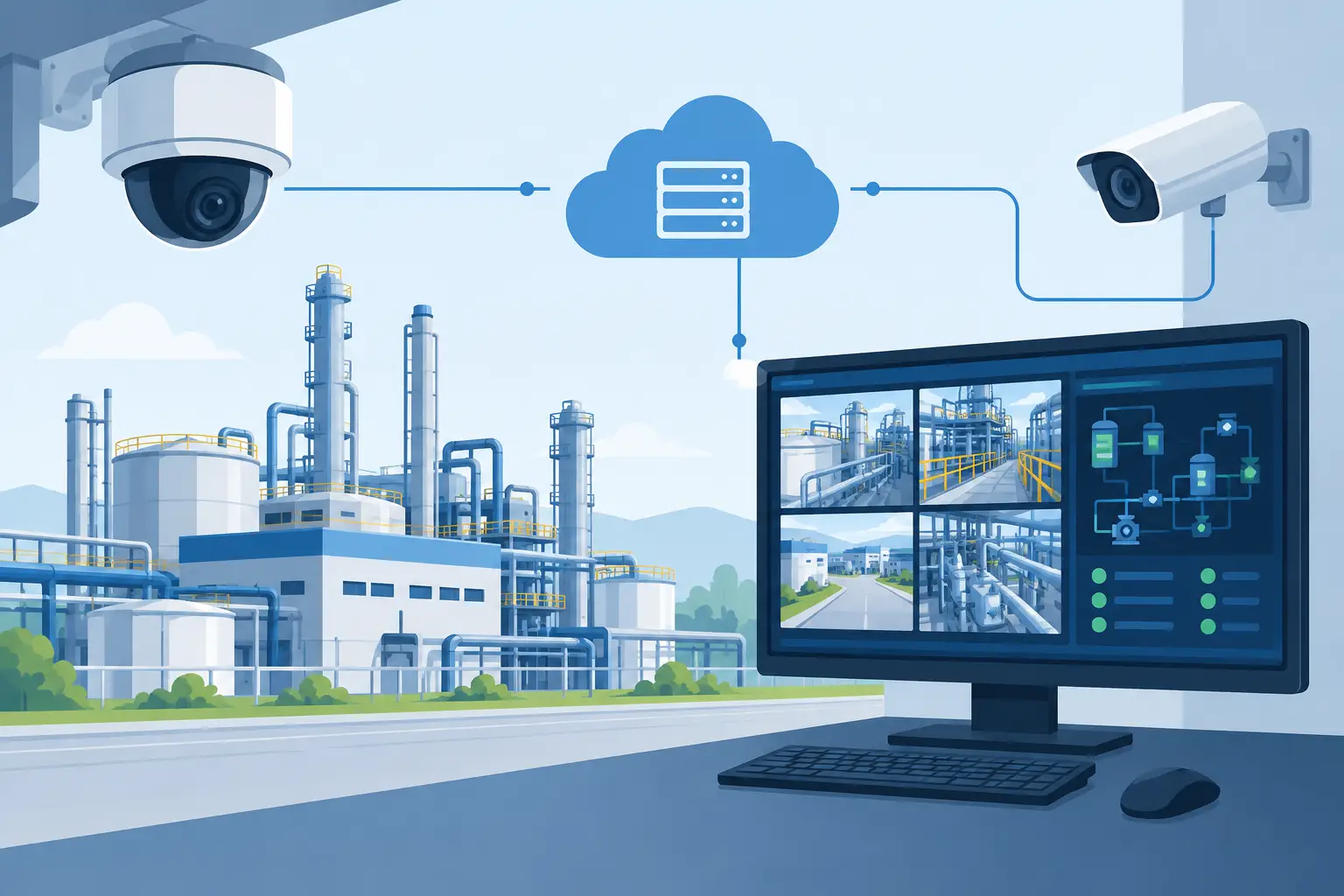
A pressure change, gas alarm, intrusion alert, or process upset creates one immediate question for the control room: what is actually happening at the asset? When you integrate cameras with SCADA, operators can verify the situation visually from the same operational environment used to monitor plant conditions. That shortens decision time, reduces unnecessary field callouts, and gives incident teams evidence before they commit personnel or shut down equipment.
For oil and gas, marine, power, chemical, and critical industrial facilities, video should not sit in a separate security silo. It should support process awareness. The right system connects environment-rated surveillance hardware, video management infrastructure, industrial networks, and SCADA logic without compromising availability or cybersecurity.
Why Integrate Cameras With SCADA?
SCADA identifies an exception through tags, thresholds, statuses, and alarms. A camera provides context. Together, they let an operator distinguish a genuine event from a sensor fault, weather condition, routine maintenance activity, or an operating state that does not require escalation.
Consider a refinery perimeter alarm during heavy rain. Rather than dispatching security immediately, the control room can call up the associated live view and assess whether the trigger came from a person, vehicle, wildlife, or a false activation. At a compressor station, a high-temperature alarm can automatically bring up views of the equipment area, helping operators check for smoke, unauthorized access, visible leakage, or personnel working nearby.
The value is not limited to security. On offshore platforms and marine vessels, visual verification can support deck operations, machinery-space oversight, loading areas, gangways, remote valve locations, and restricted access points. In hazardous-process areas, fixed thermal, optical gas imaging, and low-light surveillance systems can provide another layer of operational intelligence where direct inspection involves risk, delay, or cost.
A properly designed integration also improves incident records. Alarm events, camera views, operator acknowledgments, and recordings can be correlated by time. That creates clearer evidence for post-event investigation, reporting, maintenance planning, and compliance review.
Start With the Alarm Workflow, Not the Camera Count
Many projects fail because the discussion begins with a camera schedule instead of the operational response required from each alarm. Camera quantity matters, but the control-room workflow matters more.
Define the events that need visual verification. These may include gas detection alarms, high-level process alarms, perimeter breaches, unauthorized entry, equipment overheating, fire system activations, overboard discharge concerns, and vessel approach alerts. For each event, determine what the operator must see, how quickly they need to see it, and what action follows the visual assessment.
A useful design question is: if this alarm occurs at 2:00 a.m. with a reduced crew, can an operator make a confident first decision from the available video? If the answer is no, the issue may be camera placement, illumination, field of view, network capacity, or the lack of a defined response procedure.
Camera presets are particularly useful for pan-tilt-zoom units. A SCADA alarm can request a specific preset that frames the relevant pump, tank outlet, loading arm, access gate, or deck area. Fixed cameras are often the better choice where a continuous, repeatable view of a known hazard point is required. The strongest deployments commonly combine both approaches.
Choose an Integration Architecture That Fits the Site
There is no single connection method for every industrial facility. The correct architecture depends on the SCADA platform, video management system, site network, alarm criticality, and cybersecurity policy.
In many cases, SCADA sends an alarm or state change to a video management platform through OPC UA, Modbus TCP, REST-based interfaces, dry contacts, middleware, or another approved interface. The video platform then calls up live video, moves a PTZ to a preset, marks the event, and begins or flags recording. The SCADA display may show a video tile, a launch button, or an alarm-linked camera reference, depending on the platform and site rules.
Directly embedding live video in an HMI can be effective, but it requires disciplined engineering. Continuous video streams consume network resources and may introduce dependencies that process-control environments are not designed to support. In many facilities, an alarm-linked video launch from the HMI to a dedicated video client offers a more controlled balance between usability and network separation.
For critical sites, keep the process control network, video network, and enterprise network segmented. Use managed switches, industrial firewalls, controlled routing, role-based access, and documented data flows. Video should provide visibility into operations, not create an ungoverned path into the control environment.
Specify Cameras for the Operating Environment
Industrial surveillance equipment must be selected for the actual exposure conditions, not just image quality on a specification sheet. Offshore salt spray, refinery hydrocarbons, high ambient heat, vibration, dust, washdown procedures, low-light conditions, and electromagnetic interference all affect equipment selection and long-term service cost.
Hazardous locations may require certified equipment and appropriately rated housings, cable glands, junction boxes, and mounting arrangements. A camera body alone does not make an installation suitable for a classified area. The complete assembly must meet the site classification and installation requirements.
For methane and hydrocarbon risk areas, optical gas imaging and gas detection technologies can add substantial value when deployed for the right use case. They do not replace fixed gas detection networks, maintenance inspections, or safety procedures. They provide visual evidence that can help teams investigate a suspected release, prioritize response, and document conditions from a safer stand-off distance.
Marine applications require similar discipline. Cameras installed on exposed decks, masts, and vessel exteriors need corrosion-resistant construction, reliable sealing, stable mounting, and network connections designed for vessel movement and harsh weather. Below deck, equipment selection should account for vibration, machinery noise, restricted access, and lighting transitions.
Design the Network for Video When It Matters Most
Video integration is only useful if images remain available when alarms occur. That requires capacity planning based on resolution, frame rate, compression, scene complexity, retention requirements, and the number of concurrent users.
A high-resolution stream across a constrained offshore backhaul is not always the right answer. In some deployments, the best result is local recording, lower-bandwidth live streams for remote users, and higher-quality footage available from the site when needed. Adaptive streaming and separate viewing profiles can help preserve operational bandwidth while still delivering usable alarm verification.
Power resilience is equally important. Cameras, switches, recording servers, wireless bridges, and control-room viewing stations should be considered within the site power strategy. If a power event disables the security layer at the same time it affects process equipment, the facility loses valuable situational awareness during a period of elevated risk.
Time synchronization also deserves attention. SCADA historians, video recorders, cameras, access control systems, and alarm servers should use a common, approved time source. A few minutes of timestamp drift can complicate an investigation and weaken confidence in event records.
Commission the System Against Real Scenarios
A camera integration project is not complete when a live image appears on a screen. It is complete when the alarm workflow works under realistic conditions and operators know how to use it.
Test normal alarms, alarm floods, network interruptions, power recovery, low-light conditions, PTZ preset accuracy, recording retrieval, user permissions, and failover behavior. Verify that an alarm calls up the intended view and that the view remains meaningful after equipment vibration, weather, maintenance, or a camera restart. If the system triggers a preset, confirm that the preset frames the hazard area rather than a nearby obstruction or an outdated equipment layout.
Operators should also be trained on what video can and cannot confirm. A clear image may establish that personnel are present near a pump, but it may not reveal a small vapor release. A thermal view may indicate an abnormal heat signature, but it should not be treated as a final diagnosis without the required engineering and safety checks. Good integration supports human judgment. It does not replace it.
Procurement Questions That Protect Long-Term Value
Before selecting a supplier, procurement and operations teams should require evidence of industrial deployment capability. Ask how the proposed system handles network segmentation, hazardous-area requirements, recording retention, remote access, alarm interfaces, component availability, and support for existing control-room platforms.
It is also worth clarifying responsibility at the interfaces. Camera suppliers, network contractors, SCADA integrators, and automation teams can each assume another party owns the final connection. Define who provides the interface mapping, alarm logic, video client configuration, cybersecurity review, factory testing, site acceptance testing, and operator handover.
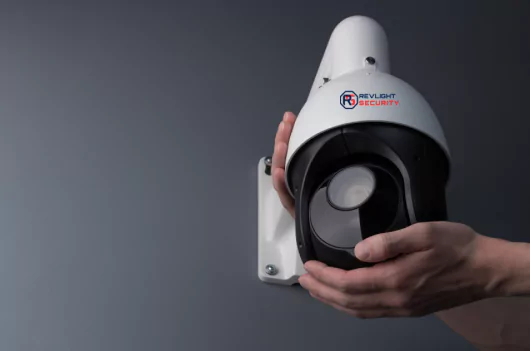
Revlight Security supports industrial buyers with surveillance and detection equipment selected for demanding offshore, marine, energy, and process environments. The right configuration is not simply the highest-specification camera. It is the system that gives operators dependable, usable visibility at the moment an alarm demands a decision.
When a control room can connect an alarm to a verified view in seconds, it changes the quality of the response. Start with the risks your operators face, engineer the video around those decisions, and make every camera earn its place in the SCADA workflow.
🛡️ Secure Your Home or Business Today
Protect your home, office, shop, or business with reliable CCTV security cameras. Explore our range of CCTV cameras and find the right security solution for your needs.
Explore CCTV Cameras ✉️ Email Us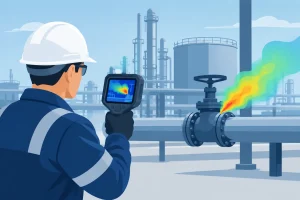

 Singapore :
+65-6708-9302
Singapore :
+65-6708-9302