
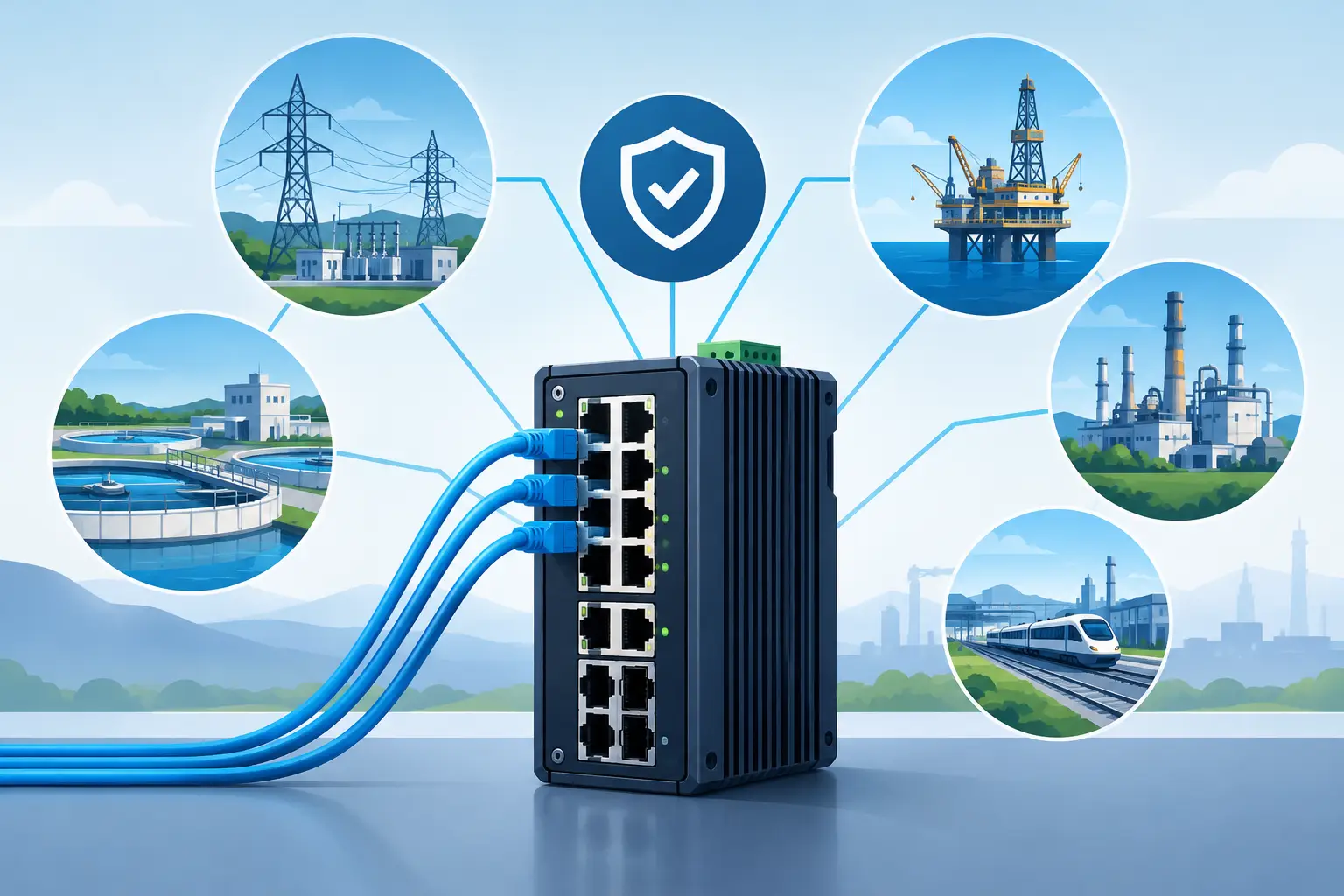
A lost network connection at an offshore platform, refinery perimeter, or engine room is not a minor IT issue. It can interrupt video recording, remove remote visibility, delay alarm verification, and leave operators without critical evidence when they need it most. Industrial ethernet switches are the network control point that keeps cameras, sensors, wireless bridges, and recording equipment communicating in demanding locations.
For industrial buyers, the decision is not simply managed versus unmanaged, or five ports versus eight. The right switch must match the operating environment, the surveillance load, the power design, and the level of uptime the facility requires. A low-cost commercial unit may appear adequate on a desk. It is a poor fit when installed near vibration, heat, salt air, electrical noise, or a process area where access is restricted.
Why Industrial Ethernet Switches Matter to Security Systems
Surveillance networks depend on more than camera specifications. A high-performance thermal camera, gas detection camera, PTZ unit, or fixed IP camera is only useful if it can deliver its stream consistently to the recorder, control room, and authorized remote users. The network switch determines how those connections are distributed, prioritized, protected, and restored after a fault.
In a refinery, a switch may support perimeter cameras, flame monitoring equipment, and networked access points spread across a large process area. On a vessel, it may connect deck cameras, engine room monitoring, and marine Wi-Fi equipment while dealing with constant vibration and corrosive air. At a power station, it may form part of a wider network carrying security video, operational monitoring, and communications across substations or remote assets.
That is why industrial-grade switching should be specified as security infrastructure, not treated as an afterthought. Properly selected equipment protects availability, reduces maintenance exposure, and gives operations teams greater confidence in their video and alarm coverage.
Start With the Installation Environment
The first procurement question is simple: where will the switch operate? Environmental conditions decide whether a standard enclosure-mounted device is sufficient or whether the project requires a hardened unit with wider temperature tolerance, metal housing, DIN-rail mounting, and stronger protection against vibration and electrical interference.
Outdoor cabinets, marine decks, offshore structures, chemical facilities, and unconditioned utility rooms all create different risks. Heat can shorten component life. Condensation can affect terminals and connectors. Salt-laden air accelerates corrosion. High-power machinery and variable frequency drives can introduce electrical noise that affects ordinary networking equipment.
Check the stated operating temperature range against the actual cabinet temperature, not the average ambient temperature shown in a site report. A cabinet in direct sun or beside process equipment can run much hotter than expected. Also consider enclosure sealing, grounding practice, surge protection, and cable entry points. A capable industrial switch cannot compensate for poor cabinet design.
Marine and offshore considerations
Marine environments deserve special attention because corrosion, vibration, and limited service access occur together. Select equipment intended for the expected temperature, humidity, shock, and mounting conditions. Where certification is required by the vessel owner, class society, or project specification, confirm it before purchase rather than assuming a general industrial rating will satisfy marine requirements.
For offshore surveillance, fiber uplinks are often the better choice for longer runs between structures and for electrical isolation. Copper remains practical for short local camera connections, particularly where Power over Ethernet is needed, but it should be supported by a clear surge and grounding strategy.
Choose Ports, Power, and Uplinks for the Real Load
Port count should include more than the number of devices being installed on day one. A switch supporting six cameras should not automatically be a six-port design. Allow capacity for a wireless access point, a networked detector, a service laptop connection, or future cameras added after a risk review. Spare ports are inexpensive compared with reopening a hazardous-area cabinet or replacing a fully occupied switch later.
Power over Ethernet, commonly called PoE, is equally important. It can simplify camera installation by carrying power and data on one cable, reducing local power supplies and cable routes. However, buyers must verify the total PoE budget, not just whether each port is labeled PoE.
A fixed camera may use modest power, while an infrared PTZ camera, heater-equipped housing, or wireless radio can require significantly more during startup or under cold-weather load. Add the maximum expected draw across all powered ports, include a sensible margin, and compare the result with the switch power budget. A switch with eight PoE ports does not guarantee it can power eight high-demand devices at the same time.
Gigabit copper ports are generally the right baseline for aggregation points carrying multiple video streams. Fiber ports provide distance and isolation benefits where buildings, jetties, tank farms, or offshore sections must be connected. The correct fiber type depends on distance, connector standards, and the installed cable plant. Procurement teams should confirm these details early, because incompatible transceivers or connectors create avoidable delays during commissioning.
Managed Switches Give Operations More Control
An unmanaged switch can work for a small, isolated network with limited devices and no requirement for advanced diagnostics. For critical surveillance systems, managed industrial ethernet switches usually offer far greater value because they allow the network to be monitored and controlled rather than merely connected.
Managed features can separate video traffic from other network traffic using VLANs, prioritize critical streams with quality-of-service settings, and provide port-level status to help identify a failed cable, camera, or power issue. They also support better access control, which matters when surveillance networks connect to wider facility infrastructure.
Network redundancy is another key advantage. Ring topology and rapid recovery protocols can maintain communications when a cable is cut or a single path fails. The recovery target depends on the application. A remote camera viewing point may tolerate a short interruption, while a control room system monitoring a high-risk process area may require a faster recovery design.
Do not buy managed hardware simply because it has a long feature list. Make sure the commissioning team can configure and document it correctly. A poorly configured managed switch can create its own faults. The best approach is to define the required functions, standardize configurations across similar sites, and retain an approved network map and port schedule.
Build Security Into the Network Design
A surveillance network should not be left open by default. Cameras, recorders, workstations, and remote access equipment each create potential paths into the environment if credentials, segmentation, and software maintenance are neglected.
At minimum, change default credentials, disable unused ports and services, restrict management access, and place security devices in appropriate network segments. Managed switches can help enforce these rules through VLANs, port security, and access-control settings. For higher-security facilities, coordinate the design with the site cybersecurity team so physical security and operational technology requirements do not conflict.
Remote diagnostics are particularly valuable for offshore and remote assets, where dispatching a technician can be expensive and slow. A switch that reports port status, power consumption, temperature alarms, and link events can reduce troubleshooting time. It also helps distinguish a camera fault from a cable, power, or upstream network issue before maintenance personnel are mobilized.
Avoid the Most Expensive Specification Mistakes
The common failures are predictable. Buyers underestimate PoE demand, choose too few ports, ignore cabinet temperature, or install copper connections where fiber would reduce risk. Others purchase advanced managed equipment without allowing time for configuration, testing, and documentation.
Another mistake is treating every location identically. The network room at a refinery headquarters does not need the same switch specification as a field cabinet near pumps, and a protected vessel communications rack is different from exposed deck equipment. Standardization is valuable, but only when it is based on defined site categories rather than a single product forced into every application.
Ask suppliers for clear technical data on power input range, PoE budget, operating temperature, ingress protection, mounting method, redundancy support, fiber compatibility, and management capabilities. Then compare those details against the installation drawing and device schedule. This is a more reliable purchasing method than choosing by port count or headline price alone.
Specify a System, Not Just a Switch
The best results come from treating the switch as part of a complete surveillance and communications design. Cameras, gas detection equipment, marine Wi-Fi, recorders, UPS units, enclosures, cable routes, and remote access all affect network performance. Revlight Security helps industrial and marine operators align these components around the security outcome that matters: dependable visibility when conditions are difficult.
Before issuing a purchase order, confirm the device count, peak bandwidth, PoE calculation, uplink path, redundancy requirement, environmental conditions, and cyber controls. A switch selected against those real operating conditions will support longer equipment life, faster fault response, and a surveillance system that remains available when the site cannot afford blind spots.
The strongest network decisions are made before installation, while there is still time to choose the right cabinet, cable path, power reserve, and industrial switch for the job.
🛡️ Secure Your Home or Business Today
Protect your home, office, shop, or business with reliable CCTV security cameras. Explore our range of CCTV cameras and find the right security solution for your needs.
Explore CCTV Cameras ✉️ Email Us

 Singapore :
+65-6708-9302