
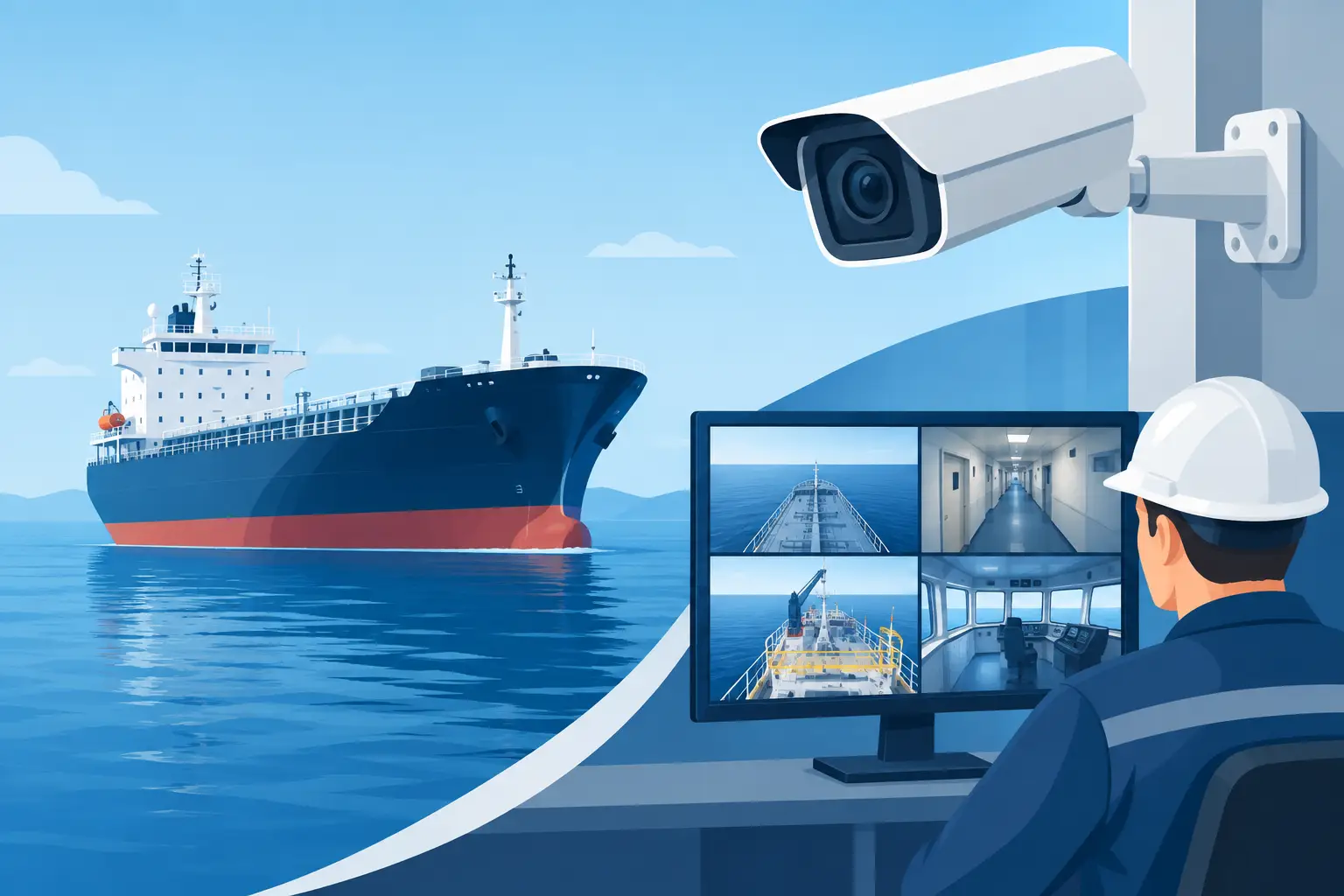
A vessel CCTV retrofit is rarely a simple camera replacement. On a working vessel, surveillance equipment must continue recording through vibration, salt exposure, changing light, restricted cable routes, and unreliable satellite connectivity. The right project gives operators usable evidence, better situational awareness, and tighter control of critical onboard areas without creating another maintenance burden for the crew.
For fleet owners, technical superintendents, and vessel managers, the commercial objective is clear: extend the working life of the vessel while bringing security coverage, recording capability, and remote visibility up to current operational requirements. That calls for an engineering-led specification, not a generic camera package.
Why a vessel CCTV retrofit needs a vessel-specific design
Legacy systems often fail gradually. A monitor may still display live video while recording is intermittent, image quality is too poor for incident review, or a failed camera has gone unnoticed for months. Older analog installations also make expansion difficult, especially where operators need centralized playback, remote access, or coverage across multiple decks.
Marine conditions expose weak equipment and poor installation practices quickly. Salt-laden air attacks connectors and housings. Engine-room vibration can loosen mounts. Heat, humidity, and washdown conditions shorten the life of unsuitable hardware. A retrofit should therefore assess the entire surveillance chain: cameras, mounting points, cabling, network switches, power supplies, recording hardware, storage, displays, and access controls.
The operational value goes beyond security. Clear footage can support onboard safety investigations, confirm access to restricted spaces, monitor loading operations, review deck activity, and help shore teams understand events without waiting for verbal reports. The footage only has value, however, if it is correctly time-stamped, retained for the required period, and easy to retrieve.
Start with the operational risks, not the camera count
The first question is not how many cameras the vessel needs. It is what decisions the system must support. A tanker, offshore support vessel, workboat, passenger vessel, and cargo ship have different risk profiles, traffic patterns, and environmental challenges.
A practical survey identifies priority areas such as bridge approaches, gangways, deck work zones, engine-room entrances, machinery spaces, stores, accommodation access points, cargo handling areas, and perimeter views. Camera placement should account for blind spots caused by cranes, pipework, bulkheads, railings, and changing cargo configurations. A high-mounted camera can cover a broad deck area, but it may not provide the detail required to identify a person at an access point.
This is where fixed cameras, varifocal cameras, pan-tilt-zoom units, thermal imaging, and low-light models each have a role. Fixed cameras provide dependable coverage of defined areas. Pan-tilt-zoom models give operators active control over wider spaces, but they should not replace fixed coverage at critical points. Thermal imaging can assist in darkness and difficult weather conditions, although it will not provide the same identification detail as visible-light video.
For vessels operating near offshore assets or in restricted waters, the project may also need to account for integration with access control, alarm inputs, radar overlays, or onboard network management. The best configuration depends on the vessel’s mission and crew workflow.
Build the vessel CCTV retrofit around the network
Network design determines whether an IP surveillance system performs reliably at sea. Cameras, recorders, switches, and workstations need defined bandwidth, power, and segmentation requirements. Simply adding cameras to an existing vessel network can introduce congestion, security exposure, and difficult fault finding.
A properly specified design separates surveillance traffic from operational and business systems where appropriate. Managed industrial network switches allow installers to monitor ports, control power to compatible cameras, and identify faults without tracing every cable run manually. Power over Ethernet can simplify installation, but voltage drop, cable length, and available switch power must be verified before equipment is ordered.
Recording capacity also needs more attention than many retrofit budgets allow. Storage calculations should consider camera resolution, frame rate, compression settings, scene activity, continuous or motion-based recording, and retention policy. A camera overlooking a busy gangway generates more data than one monitoring a rarely opened store room. Higher image quality is valuable during an investigation, but unnecessary settings can consume storage and network capacity without improving the evidence available.
Remote access requires equally careful planning. Satellite and marine wireless connections are expensive and can be limited. Rather than attempting to stream every camera continuously to shore, operators may use low-bandwidth substreams for live checks and retrieve high-resolution recorded footage only when required. Role-based user permissions should limit who can view, export, delete, or alter system settings.
Specify equipment for the environment it will face
Marine-rated equipment should be selected for the actual installation location, not just the vessel type. External deck cameras may require corrosion-resistant housings, suitable ingress protection, heater or blower options, and sunshields. Equipment near hazardous areas may require certified protection appropriate to the vessel’s classification and operating rules. Indoor machinery spaces can still be demanding because of heat, oil mist, vibration, and uneven lighting.
Mounting hardware matters as much as the camera body. Stainless steel brackets, sealed glands, protected cable routes, and strain relief reduce premature failures. Installers should avoid creating water traps, obstructing maintenance access, or placing cameras where routine washdown will continually strike lenses. A poor angle can also create glare from deck lighting or reflections from painted surfaces, turning an apparently good installation into unusable nighttime footage.
Revlight Security supports marine operators with surveillance and network equipment selected for harsh industrial service, with practical attention to recording, playback, remote viewing, and long-term maintainability. For procurement teams, that approach reduces the risk of buying products that look suitable on a data sheet but fail to match the vessel environment.
Installation planning reduces downtime and rework
A retrofit should be planned around port calls, drydock periods, crew schedules, and access restrictions. Pre-installation surveys are the time to verify cable routes, available penetrations, power sources, rack space, and mounting surfaces. Discovering a blocked conduit or inadequate power supply after the vessel is alongside adds cost quickly.
Where existing cabling is serviceable, it may be possible to use transmission solutions that extend new video equipment over legacy cable. In other cases, replacing degraded cable is the better commercial decision. Reusing damaged or poorly terminated infrastructure can compromise an otherwise high-quality system and create repeated callout costs.
Commissioning should include day and night testing from the actual viewing positions used by the crew. Image settings need adjustment for each scene, especially where bright deck lights, shadows, moving water, or reflective surfaces affect exposure. The installer should also document camera names, coverage areas, recorder settings, network addresses, user roles, and spare equipment requirements.
Test the system against real operating scenarios
Acceptance testing should prove more than the presence of a live image. The vessel team should confirm that the system can support a realistic incident review and that key functions remain available after normal operating changes.
A useful handover test checks whether the system can:
- Record and replay footage from every critical camera
- Export protected video with accurate time and camera identification
- Maintain usable images in darkness and variable weather conditions
- Recover recording after a power interruption or network restart
- Provide authorized remote access within available bandwidth limits
Crew training should be concise and role-specific. Bridge personnel may need live-view and playback procedures, while technical staff need basic health checks and fault escalation instructions. Administrators need clear control of passwords and permissions. If nobody onboard knows how to export footage when an event occurs, the investment has not delivered its full value.
Control lifecycle cost after commissioning
The purchase price is only one part of the cost of ownership. A lower-cost system that needs frequent replacement, lacks compatible spares, or requires specialist attendance for routine faults can become expensive over a vessel’s service life. Standardizing approved camera models, recorder platforms, and network components across a fleet makes training, spares holding, and support more efficient.
Operators should schedule periodic checks for lens contamination, housing damage, cable gland condition, recording health, storage alarms, and clock synchronization. Cybersecurity maintenance also belongs in the service plan. Change default credentials, restrict unnecessary services, keep approved firmware current, and remove access for former personnel or contractors.
A well-scoped vessel CCTV retrofit gives the crew equipment they can rely on when conditions are difficult and information matters most. Specify the coverage around real operational risks, protect the network and power design, and insist on commissioning that proves footage can be found when it is needed.
🛡️ Secure Your Home or Business Today
Protect your home, office, shop, or business with reliable CCTV security cameras. Explore our range of CCTV cameras and find the right security solution for your needs.
Explore CCTV Cameras ✉️ Email Us



 Singapore :
+65-6708-9302